EYESY Simulator v1.0.0
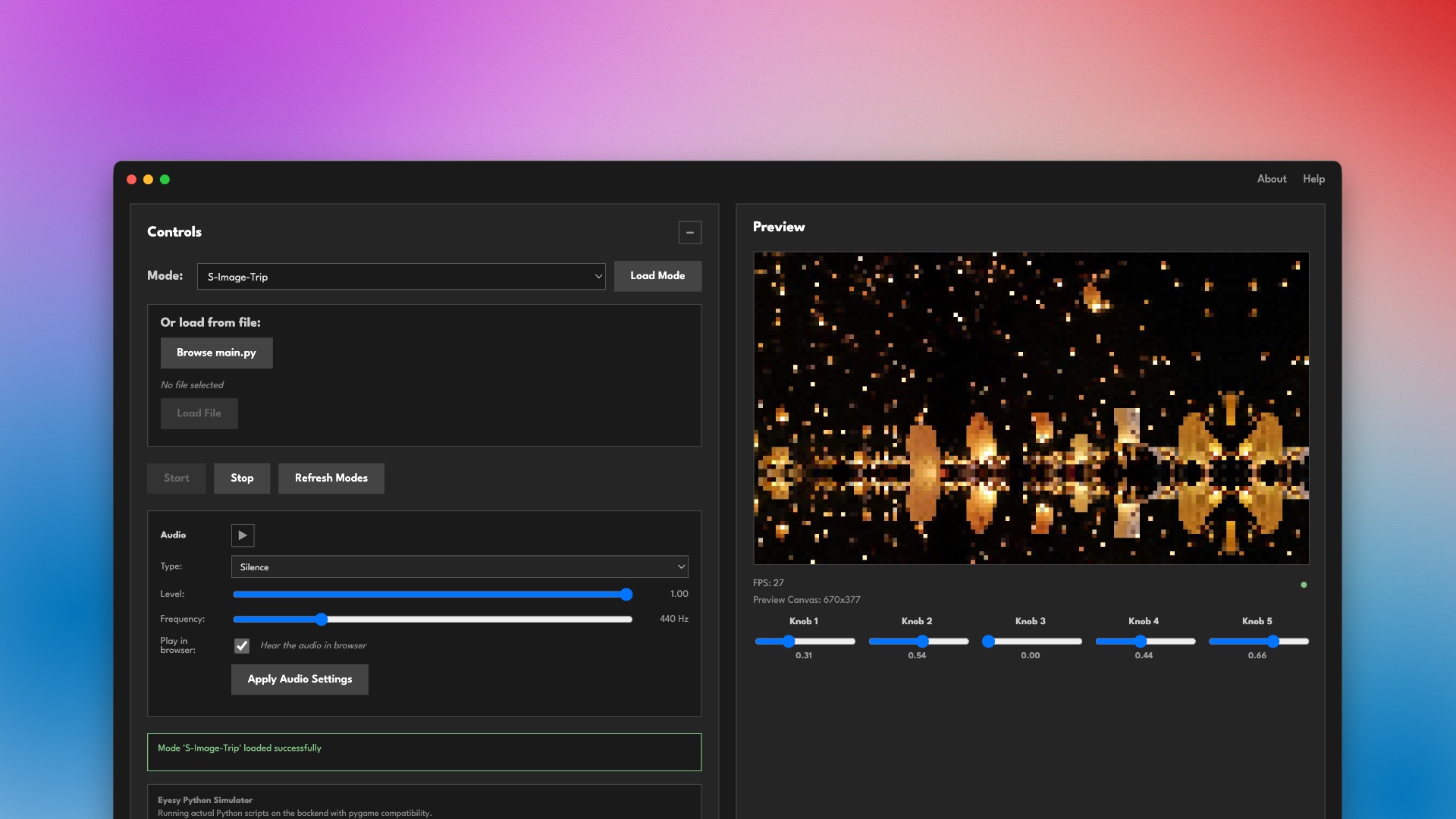
A native desktop app for developing and previewing Critter & Guitari EYESY video synthesizer modes without the hardware.
This project is not affiliated with Critter & Guitari. I built this to aid my own mode development.
Downloads
| Platform | File |
|---|---|
| macOS (Apple Silicon) | EYESY Simulator-1.0.0-arm64.dmg |
| Windows (x64) | EYESY Simulator Setup 1.0.0.exe |
What is this?
EYESY Simulator runs real EYESY Python/pygame scripts on your computer, rendering visuals in real-time. Write, test, and iterate on modes without needing the physical hardware.
Features
- Run real EYESY modes: Point the app at any folder of EYESY modes and load
main.pyscripts directly - Full pygame drawing support:
circle,rect,line,polygon,ellipse,arc,lines,Surface.fill,blit, font rendering, and more - 5 interactive knobs: Real-time parameter control (0.0–1.0), just like the hardware
- Audio simulation: Choose from silence, sine wave, white noise, beat/kick, internet radio or load your own audio file
- Audio-reactive visuals:
etc.audio_in,etc.audio_left,etc.audio_right, andetc.audio_trigall work - 1280×720 canvas: Matches EYESY’s native resolution with 16:9 aspect ratio maintained
- No Python install required: Python 3.11 runtime is bundled with the app
Getting Started
- Download and install for your platform
- Launch the app and select your EYESY modes folder
- Pick a mode from the dropdown and hit Start
- Adjust knobs and audio settings in real-time
Modes are available from the EYESY Modes GitHub repo and Patch Storage.
Hardware Compatibility
Modes written and tested in the simulator are compatible with real EYESY hardware. For best compatibility, make sure your modes:
- Use
etc.knob1–etc.knob5(not bare globals) - Include
import pygameat the top
Note that the actual EYESY hardware may be much more resource constrained than your development device. The simulator does not attempt to simulate hardware limitations, so you may get better frame rate in dev than you will on the actual EYESY. I would suggest testing early and often on the actual EYESY if you are building anything complex (learned from experience).
System Requirements
- macOS: Apple Silicon (M1/M2/M3/M4), macOS 10.15+
- Windows: 64-bit, Windows 10+
Web-based Simulator (Legacy)
The original web-based EYESY Simulator is also still available. It runs EYESY Python scripts in your browser via a Python backend that streams frames over WebSocket at 30 FPS. The native app above is the recommended way to develop modes going forward.