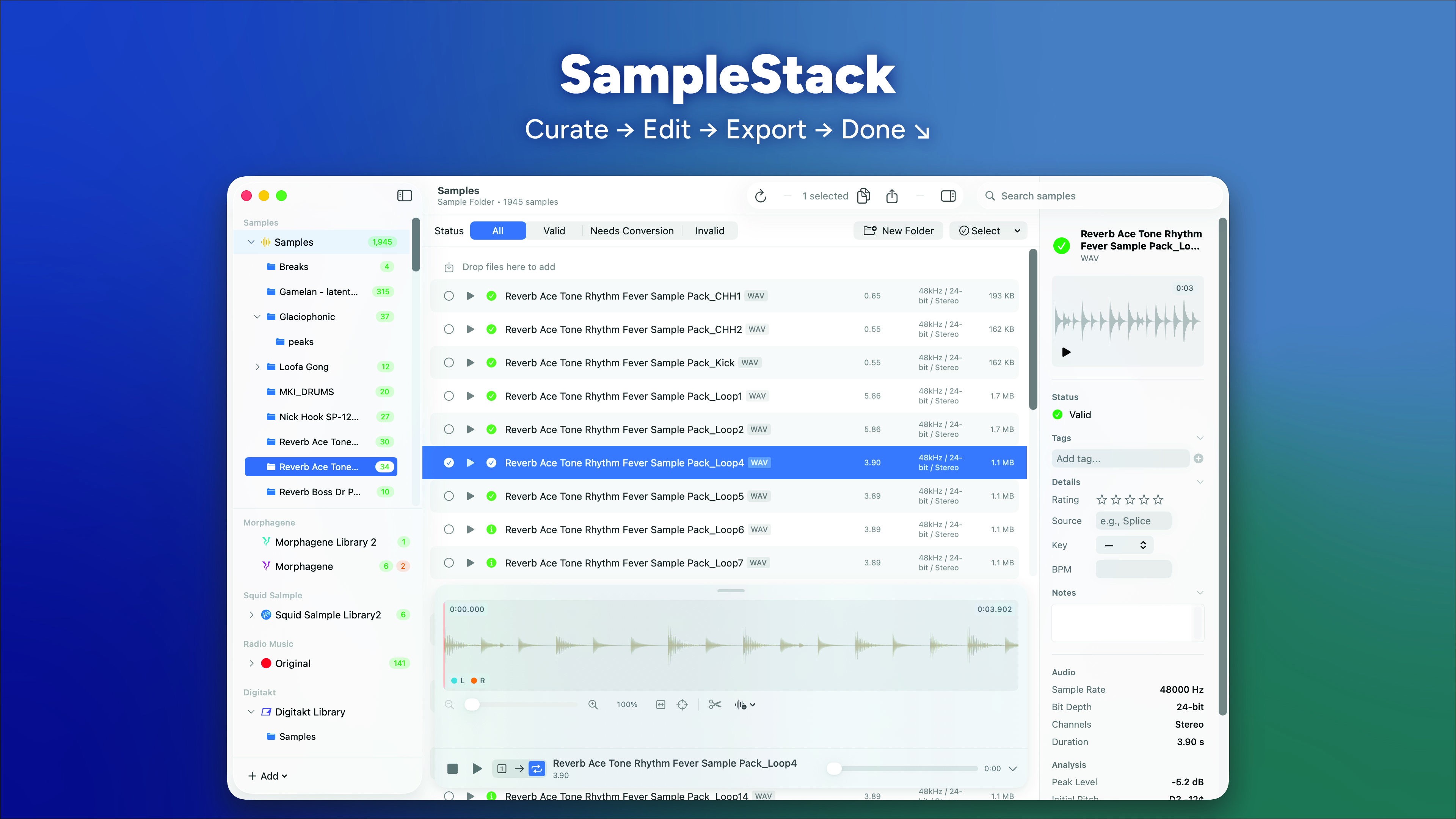
SampleStack is an in-development sample manager built for Eurorack, hardware or any other place where sample management is painful. I started building this because managing the different format requirements for different modules required me to go back to the manuals time and time again. And the work involved in editing and managing my collection didn’t feel as fast as it could be.
So I brought it all together in SampleStack. The basics are simple. First, select a folder on your hard drive as your Sample Library. Then add any number of ‘Collections’ to hold curated samples for any device. A number of my favorites are already defined (Morphagene, Multigrain, Digitakt and more), but you can also define new Collection Templates if these don’t cover your needs. From there, just drag the samples from your library into the collection. SampleStack handles file conversion and notifies you when there is an issue (file naming conventions, for example). The app works with your on-device Sample Library, so you’re always in control of your files. When you create a new collection, it is just a folder on your computer with copies of your original files.
But there’s a bit more to it:
- Lightweight file editing to prevent clicks.
- Adding, edit and rename wav cues (aka slices).
- Automatic transient -> cue creation.
- Tags and ratings to organize your collection.
- Automatic sample analysis:
- initial pitch detection
- Through zero issues at beginning and end.
Here’s a demo:
I am planning on releasing this commercially, but would love and appreciate feedback from the community as I prepare for that. This version has no restrictions, but I’d appreciate a note with any suggestions or issues you might encounter. Hit me up at [email protected]
the app is MacOS only (at least for now)
If you’d like to get occasional emails about the app (aka when it goes fully live), sign up here.
Download
Release Notes
Preview 4 (2/2/26)
- Improved drag and drop support. Now you can drag new samples anywhere in the main window to add them to the target folder.
- Added first pass at relationship definiton. The sidebar now has a tab group and you can see what collections use any particular sample (and vice versa) and jump right there.
Preview 3 (1/29/26)
- Improved sample editing.
- The edit area has been updated to be less crowded.
- Edit discards now behave more predictably.
- Support for multi-select has been added (shift, command)
Preview 2
- Numerous improvements to support performance for large sample libraries.
- Added editing tools to sample view.
- Cut a region
- Split a file in two
- Copy or cut a selection to a new sample and more
- Improved slice options in sample editor. You can now insert slices at the edges of a selection.
- Zoom controls are now more natural.
- Double clicking a folder now opens or closes it.
- Double clicking a sample plays it.
- Default playback mode (one shot vs. play through vs loop) can now be configured in settings.
- Squid Salmple support is now improved:
- The bank name can now be set/edited in the sidebar.
- The individual sample folders are now created with new collection.