
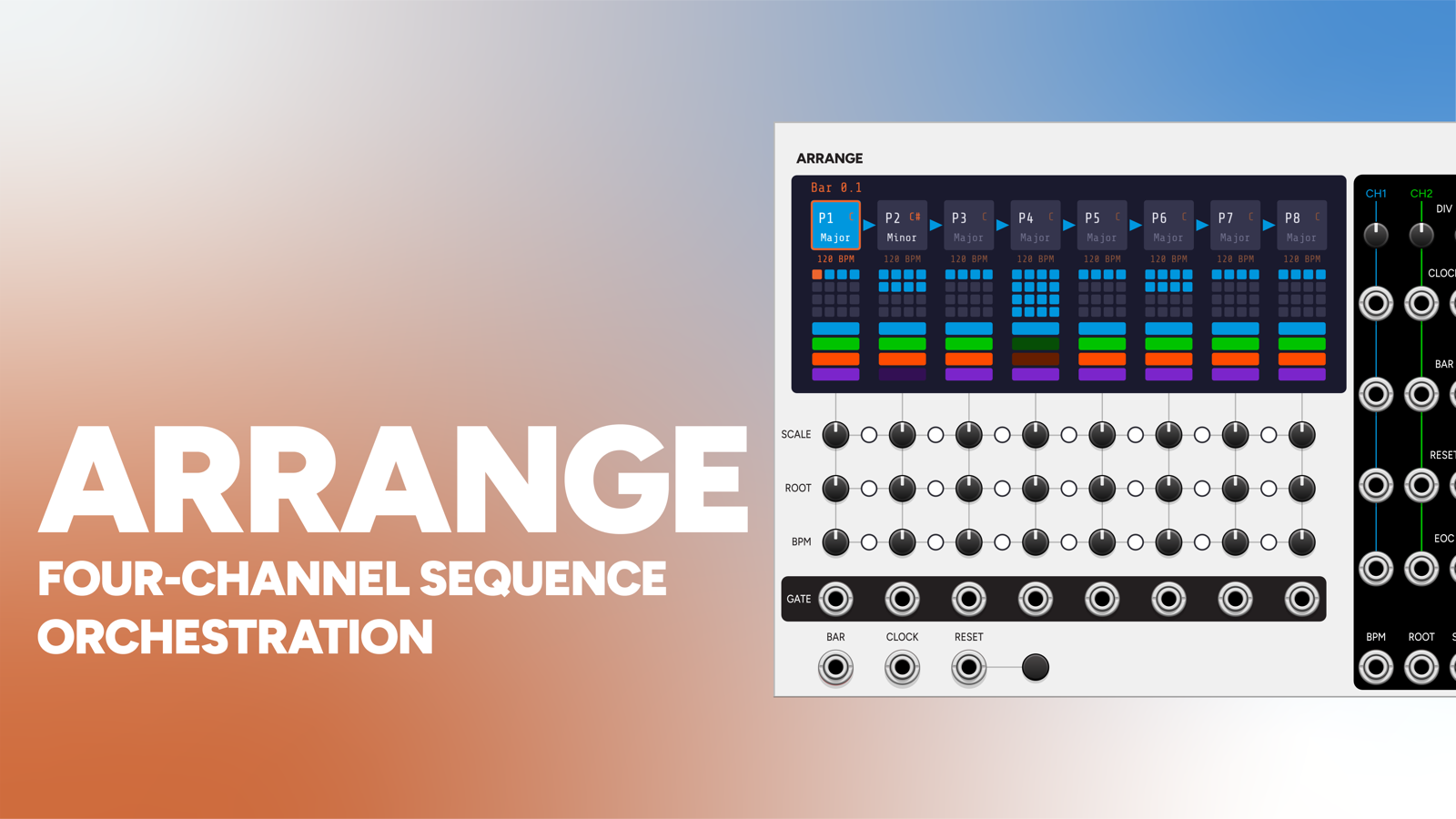
Meter keeps time. Beat and Note play parts. Arrange is the layer above all of them: it decides what section you’re in, how many bars it lasts, what key and tempo it’s in, and which instruments are playing during it.
It’s a single horizontal chain of 8 phrases. A phrase is a bar-length section: intro, verse, chorus, break. The arrangement walks through the active phrases in order and wraps.
Arrange doesn’t generate a clock. Meter is still the master. Arrange counts Meter’s bars and hands out gated, divided clocks to your instruments.
34 HP.
Wiring it up
Two cables in from Meter:
- BAR in takes Meter’s BAR out. One pulse per bar; this is what advances the arrangement.
- CLOCK in takes whichever Meter subdivision you want as the base rate. It gets divided per channel.
Then close the loop the other way: BPM out into Meter’s BPM CV, and turn on Meter’s “BPM CV absolute” context-menu option. That switches Meter’s BPM CV from an offset to an absolute 0.01V/BPM reading, so each phrase’s BPM trimpot sets the actual tempo of the song.
There’s also a RESET input and button, which returns you to the first active phrase.
Per phrase
Each of the eight columns carries:
| Thing | Where | What it does |
|---|---|---|
| Bar length | 4x4 grid on screen | 1-16 bars. Click a cell to set the length. |
| Enable | phrase cell | Double-click to toggle. Inactive phrases are skipped. |
| Scale / Root / BPM | three trimpot rows | The phrase’s key and tempo. |
| Channel enables | four coloured bars | Which instruments play during this phrase. |
| GATE out | jack under the column | High for the whole time this phrase is playing. |
The screen shows the chain left to right with an arrow between phrases, the playing phrase outlined in orange, the focused phrase in blue, and the current bar lit in the grid.
Linking key and tempo
Most songs don’t change key every eight bars, so the common case should be the default. Small LED dots between the trimpot columns cascade values down the chain, one dot per row, so scale, root, and BPM link independently. They’re on by default.
- Linked: the phrase inherits its group’s leftmost phrase’s value exactly. Its own trimpot is ignored, and the value renders dim on screen so followers are obvious at a glance.
- Break a link: that phrase becomes independent and its own trimpot applies again, starting a new group that the phrases after it inherit from.
One key and tempo for the whole song is the default; a key change at the bridge is one dot away.
This is deliberately exact inheritance, unlike the link buttons on Cycle (where a follower’s knob becomes an offset from the leader). For an arrangement, “linked” means “same key”, so a follower’s stale trimpot position can never quietly transpose it.
The four channels
This is the heart of the module. The four channels are per-instrument clock buses: each one feeds one instrument (a Beat, a Note, a Chance) and each phrase decides which of them are playing.
Per channel:
| Output | What it does |
|---|---|
| DIV (trimpot) | Clock division of the master CLOCK in: 1, 2, 3, 4, 6, 8, 12, or 16. Re-aligns to the bar. |
| CLOCK | The divided clock. |
| BAR | One pulse per bar. |
| RESET | Fires on a master reset and whenever the channel re-enables after being off. |
| EOC | Fires when the arrangement wraps. |
CLOCK and BAR are muted on any phrase where that channel is disabled. That’s the whole point. Toggle a channel’s coloured bar off for the verse and that instrument simply stops: no muting downstream, no silence tricks, no VCAs to automate. Toggle it back on for the chorus and its RESET fires so the instrument re-enters in sync rather than halfway through a pattern.
Division counters keep running while a channel is off, so a returning instrument stays phase-locked to the master rather than restarting on some arbitrary subdivision.
Master outputs
| Output | Convention |
|---|---|
| BPM | 0.01V per BPM into Meter’s BPM CV (with “BPM CV absolute” on). |
| ROOT | 1V/oct, semitone-quantized, into Note’s or Chance’s root CV. |
| SCALE | 1V per scale, into Note’s or Chance’s scale CV. |
| PHRASE | 1V per phrase (phrase 1 = 0V). |
ROOT and SCALE use the plugin-wide scale convention, so they’re interchangeable with Note, Fugue, Muse, Chance, and MetaFugue. One arrangement drives the key of the whole patch.
There is deliberately no master Bar or Clock output. Meter is already the source of both, and instruments should take their channel’s gated, divided versions so they drop in and out with the arrangement.
Screen interactions
| Action | Result |
|---|---|
| Click a grid cell | Set that phrase’s bar length |
| Click a coloured bar | Toggle that channel for that phrase |
| Click a phrase cell | Focus it |
| Double-click a phrase cell | Enable / disable the phrase |
| Right-click a phrase cell | Root and Scale menus |
Patch ideas
A whole song. Meter BAR into Arrange BAR, Meter’s sixteenth into CLOCK, Arrange BPM into Meter BPM CV (absolute on). Channel 1 to a Beat (drums), channel 2 to a Note (bass, div 2), channel 3 to a Chance (lead). P1 is a 4-bar intro with only channel 1 on; P2-P3 are an 8-bar verse with 1+2; P4 is a 16-bar chorus with all three. The band arrives and leaves on its own.
Key change at the bridge. Break the root link on P5 and set its ROOT trimpot up a fourth. P5 onward inherits the new key until the next break, and everything following Arrange’s ROOT out transposes with it.
Half-time break. Leave the channels on but set channel 1’s DIV to 2 for a section.
Per-section modulation. Take a phrase’s GATE out into an envelope or VCA to fade something in for exactly that section, a pad that only exists in the chorus.
Instrument swap. Patch PHRASE out into Play’s INSTR CV to change sampled instrument per section.
Pair with
-
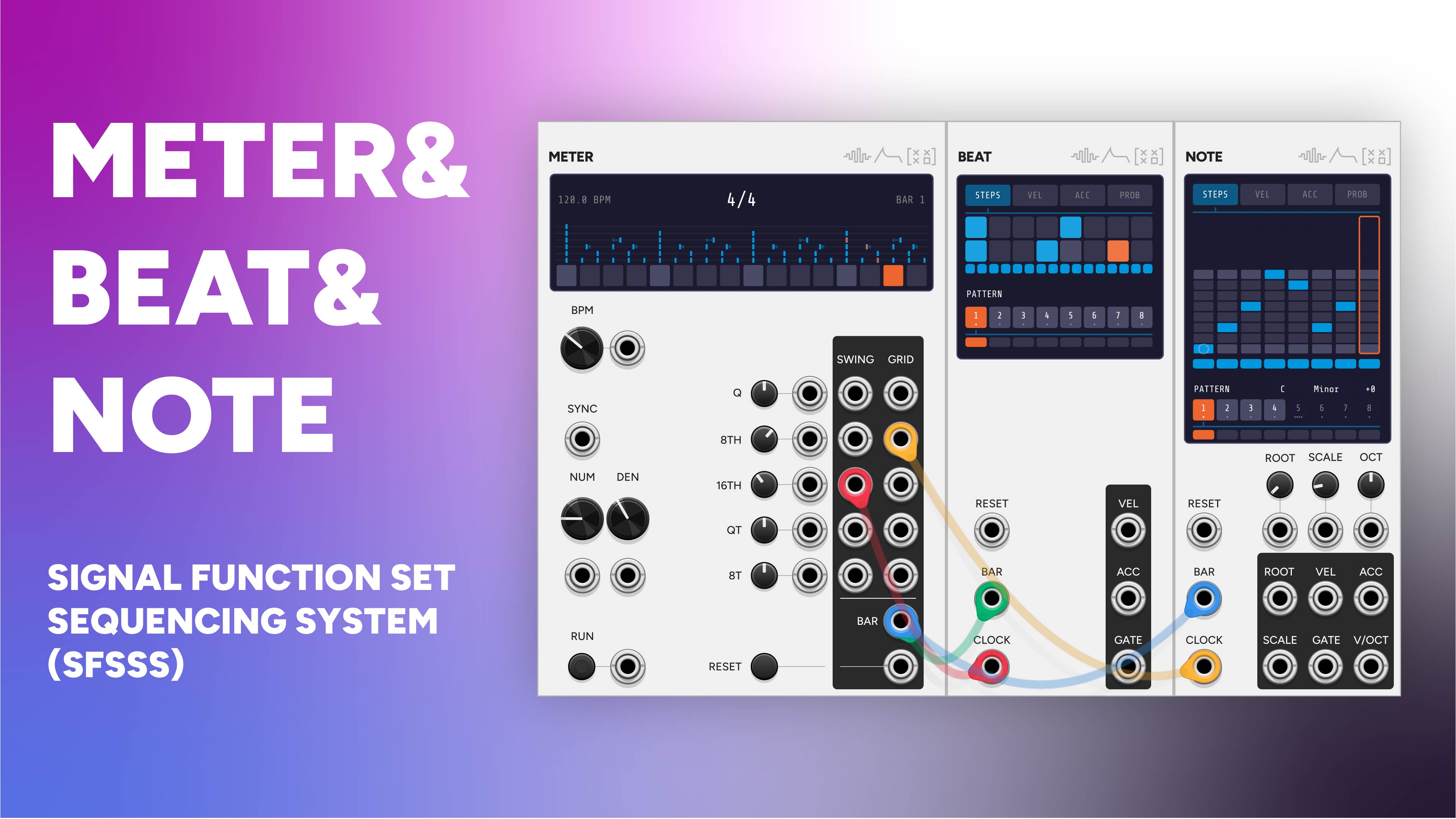 Signal Function Set Sequencer System
Arrange is the top of this system. Meter keeps time, Beat and Note play parts, and Arrange decides which section you're in and who's playing during it.
-
 Meter
MeterMeter is Arrange's clock source and its tempo target: patch Meter's BAR into Arrange, and Arrange's BPM back into Meter's BPM CV with 'BPM CV absolute' enabled.
-
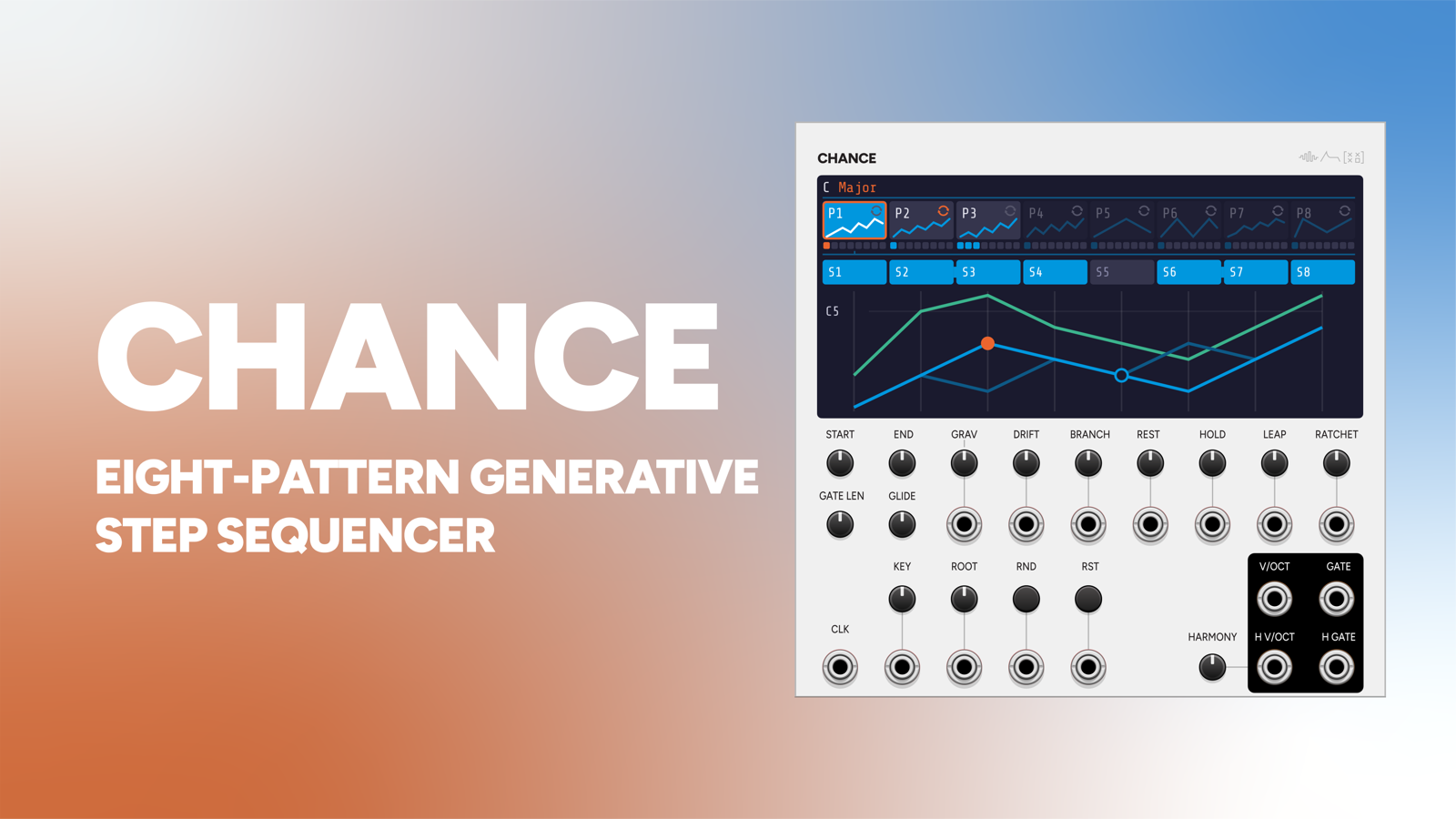 Chance
Feed Arrange's ROOT and SCALE outputs into Chance and its generative melody follows the song's key changes automatically.